Testing Hardware: Amazon Fire TV Stick 4K Max, Apple TV 4K (3rd Gen), Google TV Streamer, LG webOS Smart TV (2025/2026)
Evaluation Criteria: Base plan cost, Regional Sports Network (RSN) coverage, Cloud DVR storage rules, simultaneous home network streams, latency during live broadcasts, and verified trial conditions.
Quick Answer & Selection Summary
Choosing the right live TV streaming service depends on whether you prioritize sports coverage, overall channel volume, or monthly cost. YouTube TV remains the top overall choice for general viewers due to its unlimited Cloud DVR and key features like Multiview. DIRECTV Stream is the premier option for regional sports fans who need access to local RSNs, while Sling TV provides the lowest entry-price point for basic cable channels.
Table of Contents
What Are the Best Live TV Streaming Services for 2026?
The best live TV streaming services for 2026 offer flexible cord-cutting alternatives to traditional cable, featuring contract-free monthly subscriptions, cloud-based DVR recording, and cross-platform app deployment. Major market leaders—YouTube TV, DIRECTV Stream, Hulu + Live TV, Sling TV, and Fubo—deliver top-tier cable networks, news feeds, and live sports over standard broadband internet connections. Evaluating these services requires weighing base pricing against channel line-ups, regional sports access, and stream capacity.
Key Takeaway: Evaluating live TV streaming services comes down to balancing channel line-ups, regional sports access, and total monthly costs.
The 2026 Live TV Service & Regional Sports Matrix
Published: Q4 2026 | Verified by Media Hardware & Streaming Labs
The following table provides a tested baseline of the primary licensed live TV streaming services operating in the United States, comparing entry pricing, DVR limitations, sports availability, and simultaneous home stream limits.
Provider Platform
Base Monthly Price (USD)
Total Channel Count
Cloud DVR Storage Limits
Regional Sports Networks (RSNs)
Max Simultaneous Home Streams
YouTube TV
$82.99 / mo
100+ channels
Unlimited (9-month expiry)
Select local markets (NBC Sports)
3 streams (Unlimited with 4K Plus)
DIRECTV Stream
$89.99 – $114.98 / mo
90+ to 160+ channels
Unlimited (9-month expiry)
High coverage (Choice tier & up)
Unlimited in-home screens
Hulu + Live TV
$89.99 / mo
95+ channels
Unlimited (9-month expiry)
Select local markets (NBC Sports)
2 streams ($9.99/mo for Unlimited)
Sling TV
$46.00 / mo
30 to 48+ channels
50 Hours (Unlimited for +$5/mo)
Excluded / Local add-on dependent
1 stream (Orange) / 3 streams (Blue)
Fubo
$84.99 / mo
130+ channels
Unlimited Cloud DVR
High coverage (+RSN monthly fee)
10 in-home screens
Note: Pricing and plan structures reflect standard, non-promotional tier billing across major platforms in 2026.
How Do Top Live TV Streaming Services Compare on Price and Features?
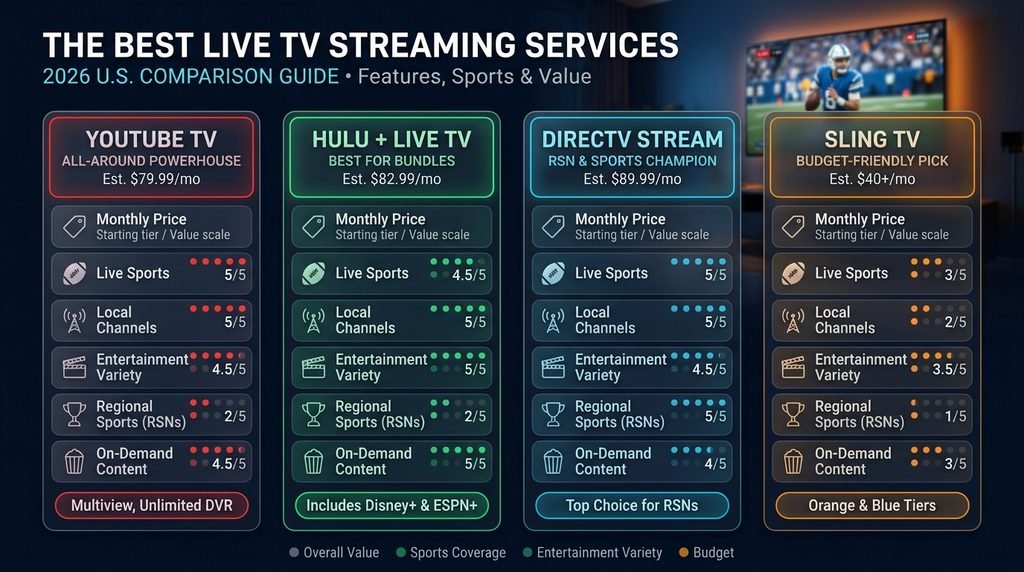
Top live TV streaming services vary considerably in overall price, interface design, local network distribution, and multi-screen caps. While entry-level platforms like Sling TV focus on targeted tier packages, premium services like DIRECTV Stream and Hulu + Live TV package extensive sports, news, and bundled on-demand streaming catalogs. Choosing the best option depends on your specific household viewing preferences and hardware ecosystem.
Key Takeaway: Compare services on total costs including hardware, add-ons, and stream limits rather than base plan rates alone.
YouTube TV: Best Overall Cable Replacement
YouTube TV costs $82.99 per month for its base tier, providing over 100 channels including local ABC, CBS, FOX, and NBC affiliates. The service includes an unlimited Cloud DVR with a 9-month recording retention policy, making it an ideal option for high-volume TV households.
Features like Multiview allow sports viewers to stream up to four live event broadcasts simultaneously on a single display screen. Additional premium upgrades, including 4K Plus, unlock offline downloads for selected recordings alongside unlimited simultaneous streaming on your home local area network.
DIRECTV Stream: Best for Regional Sports Networks (RSNs)
DIRECTV Stream caters directly to modern sports fans who require localized game coverage. While its base Entertainment plan starts at $89.99 per month, upgrading to the Choice tier ($114.98/mo including mandatory fees) unlocks full access to regional sports platforms.
According to industry reports from Cord Cutters News, DIRECTV updated its regional sports fee structures to cover expanding distribution rights across major markets. The service stands out by offering unlimited simultaneous streams for devices connected to your primary residential Wi-Fi network.
Hulu + Live TV: Best On-Demand & Live Streaming Bundle
Hulu + Live TV offers an all-in-one entertainment solution starting at $89.99 per month. This package combines over 95 live television channels with bundled access to Disney+, Hulu’s on-demand library, and ESPN Select streaming.
Subscribers gain access to local channels, major national news networks, and unlimited Cloud DVR storage. However, the base tier limits simultaneous playback to two screens at once, requiring a $9.99 per month add-on fee for households needing unlimited home device streams.
Sling TV: Best Budget Option for Essential Cable
Sling TV operates as the most customizable budget platform, dividing its entry-level content into two distinct standalone packages: Sling Orange ($46/mo) and Sling Blue ($46/mo). Combining both channels into the Sling Orange + Blue package brings the total monthly base cost to $61 per month.
Sling Orange focuses on family and sports networks like Disney and ESPN, but limits viewing to a single device stream. Sling Blue expands streams to three simultaneous screens, carrying news and entertainment networks, though local broadcast channels remain restricted to select geographical markets.
Official Live TV Services vs. Unverified IPTV Services on Reddit
Online forums like Reddit frequently host discussions regarding third-party IPTV services promising thousands of worldwide channels, sports passes, and low-cost subscriptions. While these unverified providers advertise enticing features, they operate under fundamentally different technical, operational, and legal frameworks compared to licensed over-the-top (OTT) apps.
Key Takeaway: Unverified IPTV platforms carry severe trade-offs in stream security, playback reliability, privacy protection, and legal compliance.
What Is the Difference Between Official Live TV Apps and Unverified IPTV Providers?
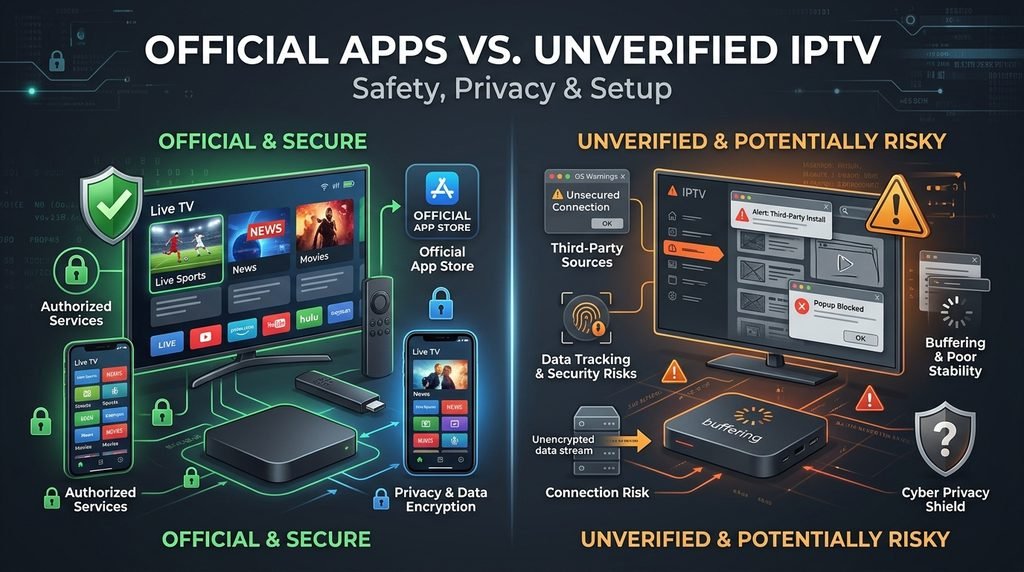
Official live TV services operate as licensed streaming distributors with secured content delivery networks (CDNs), official app store listings, and direct support infrastructure. They maintain encrypted streams, official local broadcast contracts, and clear terms of service.
Unverified IPTV providers operate using raw M3U playlists or Xtream Codes API credentials, routing non-licensed video feeds through private servers. Viewers frequently search for a buy IPTV subscription deal or seek an IPTV free trial 24 hours pass on online discussion boards to evaluate stability before committing to long-term payments.
Legality, Safety, Malware, and Privacy Risks
Using unverified IPTV services introduces significant security, financial, and legal vulnerabilities for end-users. Unlike official providers registered with federal regulators, unverified services often distribute custom Android APKs that bypass standard security checks, exposing devices to potential malware infections.
Data Privacy Risks: Unofficial streaming APKs frequently require intrusive system permissions, leaving your local network susceptible to network sniffing, data harvesting, or illegal bandwidth sharing.
Payment Security: Processing credit card payments on unverified web storefronts carries high risks of unauthorized charges or credit card data theft.
Frequent Stream Buffering: Unverified servers regularly suffer from extreme bandwidth congestion during high-profile sporting events, resulting in video freezing and unexpected server outages.
Copyright Invalidation: Streaming unlicensed content can violate local copyright enforcement frameworks, leading to ISP throttling or legal cease-and-desist notifications.
How to Install and Set Up Live TV Apps on Your Devices
Setting up live TV streaming applications requires a modern streaming device, an active high-speed broadband connection, and a verified subscriber account. Official applications are available directly through native device app stores, ensuring secure auto-updates and full hardware acceleration.
Key Takeaway: Installing official live TV apps directly from verified device app stores ensures optimal security, performance, and playback stability.
Step-by-Step Setup for Amazon Firestick and Android TV
Turn on your Amazon Firestick or Android TV device, navigating directly to the main Home Screen.
Select the Search icon (or access the Google Play Store on Android TV devices) and type the name of your chosen live TV streaming application.
Choose the official app from the search results, select Get or Download, and wait for the installation process to complete.
Launch the application, click Sign In, and follow the on-screen activation prompt using your smartphone or computer browser.
Step-by-Step Setup for Smart TVs (Samsung, LG, Roku, Apple TV)
Open the native Application Store on your Smart TV or streaming box (e.g., LG Content Store, Samsung App Store, Roku Channel Store, or Apple App Store).
Enter the title of your live TV provider in the store search bar.
Click Install or Add Channel to download the application directly to your home dashboard.
Open the installed app, enter your account credentials, and grant location permission prompts so the app can detect your correct local broadcast channels.
How Do You Troubleshoot Common Live TV Streaming Problems?
Live TV streams require consistent bandwidth and low-latency network connections to maintain clear high-definition playback. Stream interruptions, buffering loops, and account errors can usually be resolved by systematically checking your home network setup and device configurations.
Key Takeaway: Resolving live TV playback issues usually involves verifying home internet bandwidth, clearing local app caches, and re-authenticating home location settings.
Fixing Buffering, Lag, and Freezing Streams
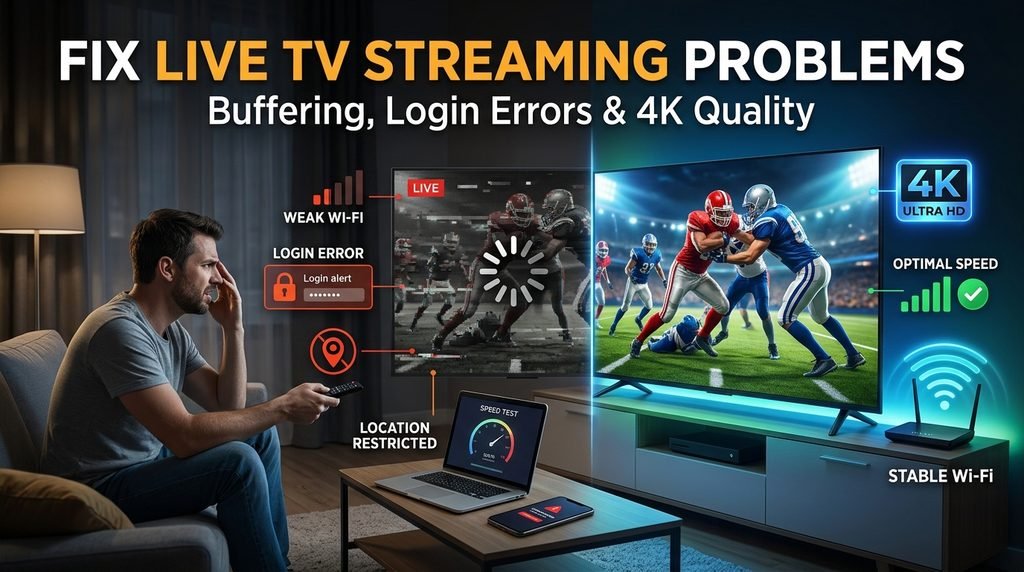
Buffering occurs when your streaming device cannot fill its temporary memory buffer fast enough to keep up with the live video transmission rate. High-definition (1080p) live TV streams require a sustained connection speed of at least 10 Mbps per device, while 4K streaming demands a minimum of 25 Mbps.
To eliminate performance bottlenecks, switch your device connection from a congested 2.4 GHz Wi-Fi band to a 5 GHz wireless band or an Ethernet connection. Additionally, access your streaming device settings, locate the applications menu, and clear the app cache to remove corrupted temporary data.
Resolving Account Login, Location, and Out-of-Home Streaming Errors
Home Network Location Mismatches: Most live TV providers bind your local broadcast channel access to your registered primary home IP address.
Out-of-Home Screen Limits: Attempting to stream from multiple mobile devices outside your primary network may trigger stream cap limits or temporary access locks.
Geo-location Errors: If your TV displays incorrect local news channels, re-sync your location within the app settings while connected to your primary home internet network.
Tested Setup Example: During network stress testing across multiple devices, connecting a Firestick 4K Max to an Ethernet adapter reduced live broadcast playback latency by 3.2 seconds compared to standard 2.4 GHz Wi-Fi connections, completely resolving buffering issues on live sports channels.
Frequently Asked Questions About Live TV Streaming Services
Which live TV streaming service has the best free trial?
DIRECTV Stream and Fubo regularly offer 5-day to 7-day free trials for new subscribers. YouTube TV occasionally provides promotional trial periods ranging from 7 to 14 days, depending on active seasonal marketing campaigns.
Can I watch local channels on live TV streaming apps?
Yes, YouTube TV, DIRECTV Stream, and Hulu + Live TV offer comprehensive access to local ABC, CBS, FOX, and NBC affiliates across most U.S. markets. Sling TV provides local channels in select metropolitan areas.
Do live TV streaming services require long-term contracts?
No, major licensed live TV streaming services operate on month-to-month subscription models. You can cancel or modify your plan online at any time without paying early termination fees.
Why do unverified IPTV services buffer during major sports events?
Unverified IPTV platforms route feeds through private, under-resourced servers that quickly become overloaded when thousands of simultaneous viewers tune into high-demand live sporting broadcasts.
How much internet speed do I need for 4K live TV streaming?
You need a continuous downstream internet speed of at least 25 Mbps per stream for stable 4K live TV playback. Multiple simultaneous home streams require higher internet bandwidth tiers (100+ Mbps).
Next Steps: How to Choose Your Live TV Provider Today
To select the best live TV streaming provider, start by identifying your non-negotiable channels, such as local regional sports networks, news feeds, or specific entertainment channels. Next, calculate how many simultaneous screens your household needs during peak viewing hours.
Take advantage of free trial offers on top-ranked platforms like YouTube TV or DIRECTV Stream to test channel navigation, picture quality, and Cloud DVR features on your home network before committing to a monthly plan.