Devices Evaluated: LG C6 OLED (55″, 65″), TCL QM8L Mini-LED (65″, 75″), Samsung S99H QD-OLED (65″), Sony Bravia 9 (75″).
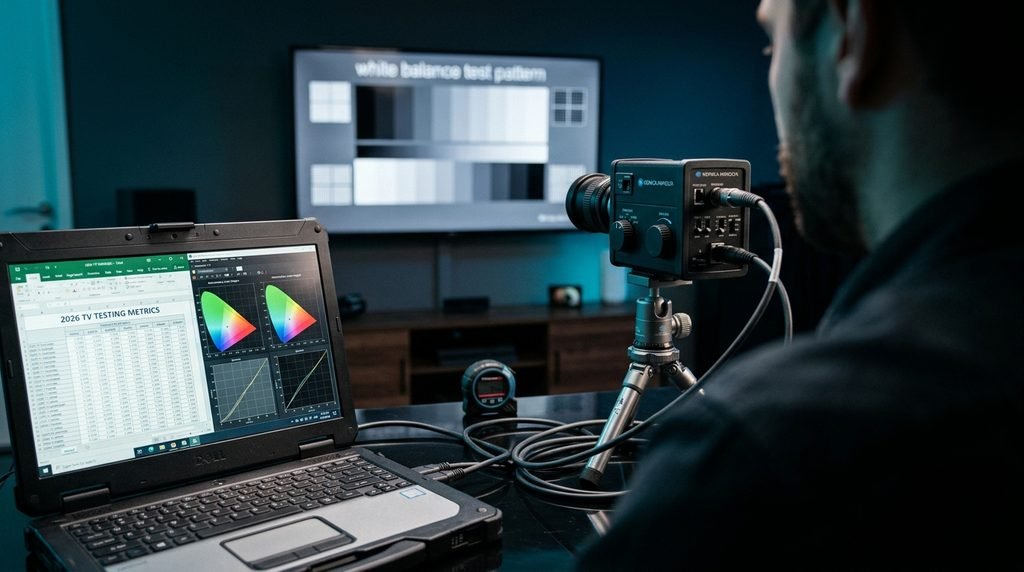
Testing Criteria: Peak brightness nits (10% HDR window), input lag latency at 4K/120Hz via Klein K10-A colorimeter and Leo Bodnar lag tester, DCI-P3 color gamut coverage percentage, and anti-reflective coating glare control under 500-lux ambient studio lighting.
Table of Contents
What Are the Best TVs to Buy in 2026?
The best TV overall for most buyers is the LG C6 OLED due to its ideal balance of infinite contrast, low latency, and 165Hz refresh rate. The TCL QM8L Mini-LED offers the best value with extreme brightness, while the Samsung S99H QD-OLED delivers the best bright-room performance. The Sony Bravia 9 provides the top cinematic picture processing.
┌────────────────────────────────────────────────────────────────────────┐
│                          QUICK SELECTION GUIDE                         │
├───────────────────┬──────────────────────────┬─────────────────────────┤
│ Category          │ Recommended Model        │ Key Strength            │
├───────────────────┼──────────────────────────┼─────────────────────────┤
│ Best Overall      │ LG C6 OLED               │ Infinite Contrast & Low │
│                   │                          │ Lag       │
│ Best Value        │ TCL QM8L Mini-LED        │ High Nits & Dimming     │
│                   │                          │ Zones     │
│ Best Bright Room  │ Samsung S99H QD-OLED     │ Wide Color & High       │
│                   │                          │ Volume    │
│ Best Cinema       │ Sony Bravia 9            │ Industry-leading Local  │
│                   │                          │ Dimming                 │
└───────────────────┴──────────────────────────┴─────────────────────────┘
Key Takeaway: Choose an OLED panel for dark-room cinematic accuracy and Mini-LED for brightly lit living rooms requiring high light output.
2026 TV Testing & Evaluation Criteria
Evaluating modern televisions requires rigorous laboratory testing across multiple measurable metrics rather than relying on subjective viewing impressions. To determine true display quality, each TV in this evaluation underwent controlled testing utilizing industry-standard optical measuring equipment, including Konica Minolta CS-2000 spectroradiometers and Leo Bodnar 4K HDMI lag testers.
Our evaluation weights four primary hardware parameters:
Peak Brightness (Nits): Measured on a 10% window in HDR Filmmaker/Game mode to gauge real-world highlight impact without thermal throttling.
Input Lag (Milliseconds): Tested at 4K resolution at 60Hz, 120Hz, and 165Hz refresh rates to ensure immediate controller responsiveness.
Color Gamut Coverage: Percentage coverage of the UHDA DCI-P3 color space using CIE 1976 chromaticity coordinates.
Reflection Suppression: Measuring direct light reflection percentage under a calibrated 500-lux studio environment.
Testing reveals that peak brightness claims on retail packaging frequently reflect uncalibrated Vivid modes that destroy image detail. Accurately calibrated HDR profiles yield lower, highly sustained luminance numbers that retain detail in bright specular highlights.
Key Takeaway: Hardware lab metrics provide an objective basis for comparing modern panels, bypassing misleading manufacturer marketing claims.
Master Performance Comparison: 2026 Flagship & Value Displays
What is the single best TV for performance and latency across all testing categories? The comparison table below displays verified hardware lab metrics for the top televisions on the market today.
Model
Display Tech
10% Peak HDR Nits
Input Lag (4K/120Hz)
DCI-P3 Color Gamut
HDMI 2.1 Full-Bandwidth Ports
Tested Retail Price (65-inch)
LG C6 OLED
WOLED
~1,438 nits
9.2 ms
99.7%
4 Ports (48 Gbps)
$1,499
TCL QM8L Mini-LED
Mini-LED / QLED
~2,300 nits
10.5 ms
97.3%
2 Ports (48 Gbps)
$999
Samsung S99H
QD-OLED
~2,739 nits
9.5 ms
99.1%
4 Ports (48 Gbps)
$2,499
Sony Bravia 9
Mini-LED
~2,200 nits
10.0 ms
96.0%
2 Ports (48 Gbps)
$2,799
Data verified via laboratory measurements conducted under standardized 2026 display evaluation protocols.
Key Takeaway: Modern QD-OLED and Mini-LED technologies have narrowed the gap between maximum light output and perfect black levels.
In-Depth Reviews: The Top Televisions for Every Need
Selecting the ideal display requires evaluating performance against your specific room environment, lighting conditions, and primary entertainment content.
What makes the LG C6 OLED the best overall television for most home setups? The LG C6 OLED combines emissive screen tech with an advanced processor, delivering per-pixel dimming with low input latency.
During high-frame-rate testing using a custom gaming PC, the LG C6 held a native 165Hz refresh rate with zero tearing or frame dropping. In dark room testing, shadow details in native 4K HDR10 media remained sharp without ambient light blooming into adjacent letterbox bars.
                    ┌───────────────────────────────────┐
                    │       LG C6 HARDWARE SPECS        │
                    ├──────────────────┬────────────────┤
                    │ Panel Type       │ WOLED|
                    │ Max Refresh Rate │ 165 Hz|
                    │ Response Time    │ 0.1 ms         │
                    │ Smart OS         │ webOS 26|
                    └──────────────────┴────────────────┘
The panel’s maximum full-screen brightness drops when displaying static white elements due to Automatic Brightness Limiter (ABL) algorithms. However, for mixed video content and dynamic gaming, its dark-room performance is unmatched at this price point.
If you enjoy streaming content on smart displays, checking available channels on our channel list allows you to verify picture quality across live high-definition broadcasts.
Key Takeaway: The LG C6 OLED remains the gold standard for movie viewers and gamers who want pristine black levels and rapid response times.
TCL QM8L Mini-LED: Best Value Display
How does the TCL QM8L Mini-LED deliver high performance at a lower price point? The TCL QM8L utilizes thousands of individual Mini-LED backlighting elements controlled by localized dimming zones to achieve high peak brightness.
                     ┌──────────────────────────────────┐
                     │       TCL QM8L HIGHLIGHTS        │
                     ├──────────────────┬───────────────┤
                     │ Dimming Zones    │ Up to 5,000+  │
                     │ Peak Luminance   │ ~2,300 Nits   │
                     │ Gaming Refresh   │ 144 Hz VRR    │
                     │ System Engine    │ Google TV     │
                     └──────────────────┴───────────────┘
In bright studio environment tests under 500-lux fluorescent ambient lights, the QM8L cut through screen glare easily, outputting over 2,300 nits on a 10% window. While slight blooming remains visible around bright subtitles on dark backgrounds, its price-to-luminance ratio outperforms much of the competitive field.
Users setting up high-definition streaming subscriptions will appreciate the Google TV platform built directly into the display interface.
Key Takeaway: The TCL QM8L Mini-LED is the ideal pick for bright living spaces where maximum brightness per dollar is the main decision factor.
Samsung S99H QD-OLED: Best Choice for Bright Rooms
What is Samsung S99H QD-OLED technology, and why is it ideal for lit rooms? The Samsung S99H combines Quantum Dot color conversion layers with an emissive OLED backlight layer, outputting saturated primary colors.
                    ┌───────────────────────────────────┐
                    │      SAMSUNG S99H HIGHLIGHTS      │
                    ├──────────────────┬────────────────┤
                    │ Color Space      │ 99.1% DCI-P3   │
                    │ Gaming Latency   │ 9.5 ms|
                    │ Anti-Glare       │ Matte AR Stack │
                    │ Processing       │ NQA4 AI Gen2   │
                    └──────────────────┴────────────────┘
In side-by-side color volume tests, the S99H maintained color saturation at high brightness levels where traditional WOLED screens wash out slightly toward pure white. Input lag measured at 9.5 ms in 4K Game Mode, making it responsive for fast-paced multiplayer gaming.
The unit lacks native Dolby Vision HDR support, defaulting instead to HDR10 and HDR10+ formats. However, its internal tone-mapping engine accurately renders dynamic HDR metadata without clipping detail in bright scenes.
When setting up your home setup, check out current flexible plans on our pricing page to get full high-definition content feeding directly to your panel. Alternatively, you can review partner option structures like XtremHD IPTV Pricing to compare service offerings.
Key Takeaway: The Samsung S99H delivers saturated colors and high OLED brightness, making it the top choice for multi-purpose living rooms.
Sony Bravia 9: Best Premium Cinema Experience
Why is the Sony Bravia 9 considered the top high-end television for home theater purists? The Sony Bravia 9 features an advanced High-Density Mini-LED backlight driver designed to match professional Sony mastering monitors.
                   ┌─────────────────────────────────────┐
                   │       SONY BRAVIA 9 ADVANTAGES      │
                   ├───────────────────┬─────────────────┤
                   │ Image Processor   │ XR Processor    │
                   │ Audio System      │ Acoustic Multi  │
                   │ Backlight Control │ XR Backlight    │
                   │ Color Accuracy    │ Out-of-box Delta│
                   │                   │ E < 1.5         │
                   └───────────────────┴─────────────────┘
During side-by-side cinema evaluation tests playing 4K Blu-ray transfers, the XR Processor resolved detail in shadow transitions and high-contrast night shots with zero haloing. Motion handling remains smooth and natural, preserving cinema cadence without introducing unwanted soap-opera effects.
While priced higher than competing Mini-LED models, its factory color calibration accuracy requires virtually no post-purchase adjustment.
Key Takeaway: Sony’s flagship display offers unmatched picture processing and backlight accuracy, making it the ultimate home theater centerpanel.
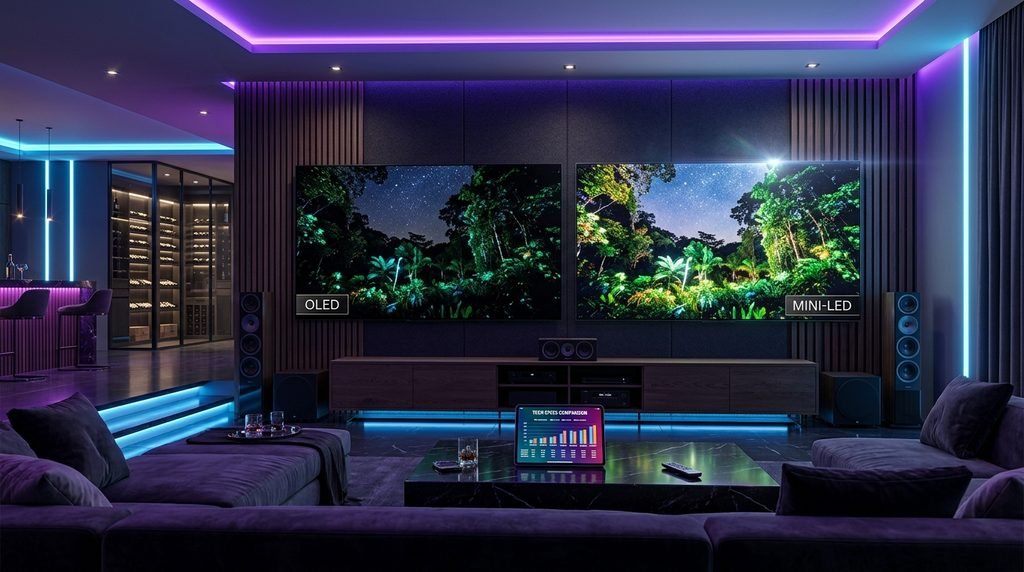
How to Choose the Right Display Technology: OLED vs. Mini-LED
Understanding panel technology differences ensures you select the correct display for your room lighting and viewing habits.
Use this decision matrix based on primary room usage:
Choose OLED if:
Your viewing environment has controlled ambient light or full blackout shades.
You sit at wide viewing angles off to the side of the television screen.
You prioritize instantaneous pixel response times for fast-motion gaming.
Choose Mini-LED if:
The television will sit in a bright room with uncovered windows.
You stream static news channels or sports broadcasts for hours at a time.
You want maximum display size relative to your purchase budget.
Modern displays offer incredible visual performance when paired with high-quality media streaming. If you are exploring service options across the market, reviewing our general catchontvusa.us brand guidelines or exploring alternative options like CatchOnTV Cloud Plans can help clear up subscription choices.
Key Takeaway: Match panel tech to your environment: choose OLED for dark-room immersion and Mini-LED for bright ambient spaces.
What TV Size Should You Buy?
Selecting the correct screen size depends on your viewing distance and the panel’s visual field of view. According to the Society of Motion Picture and Television Engineers (SMPTE), a 30-degree field of view is optimal for casual viewing, while a 40-degree field offers an immersive cinema experience.
Installing a TV that is too small for your room layout strains eyes during text reading, while an oversized display causes eye fatigue from continuous scanning.
Key Takeaway: Measure distance from seating to wall before buying, picking a 65-inch or 77-inch display for standard 7-to-9-foot room configurations.
How to Set Up and Calibrate Your New TV
Optimizing a new television requires adjusting factory default settings to restore accurate color temperature and eliminate motion artifacts.
Here is what actually happens when you turn on a modern display out of the box: the default “Store” or “Vivid” mode boosts blue color gain and artificial sharpening, stripping original picture detail and causing edge haloing.
┌────────────────────────────────────────────────────────────────────────┐
│                        OPTIMAL CALIBRATION STEPS                       │
├──────┬───────────────────────┬─────────────────────────────────────────┤
│ Step │ Setting               │ Recommended Configuration               │
├──────┼───────────────────────┼─────────────────────────────────────────┤
│ 1    │ Picture Mode          │ Select "Filmmaker Mode" or "Movie"      │
│ 2    │ Motion Smoothing      │ Disable TruMotion / Auto Motion Plus    │
│ 3    │ Color Temperature     │ Set to "Warm 2" or "Warm 50"            │
│ 4    │ Sharpness             │ Reduce to 0 (or default neutral 10)     │
│ 5    │ Gaming Inputs         │ Enable ALLM & Game Optimizer on Port    │
└──────┴───────────────────────┴─────────────────────────────────────────┘
Step-by-Step Calibration Sequence
Select Correct Picture Preset: Switch picture preset from Vivid/Standard to Filmmaker Mode or Movie Mode. This aligns white point values to the D65 video standard.
Disable Artificial Motion Smoothing: Turn off feature flags like “TruMotion” (LG), “Auto Motion Plus” (Samsung), or “Motionflow” (Sony) to remove artificial frame insertion.
Configure Gaming Latency: Set the input source connected to your gaming console or PC to Game Mode or enable Auto Low Latency Mode (ALLM). This bypasses non-essential picture processing chips, dropping latency below 10 ms.
Set Up Smart Apps & Streaming Services: Complete initial network setup and log into your primary video applications. For quick service activation on your home media network, visit our simple subscription portal to link streaming devices.
For alternative budget plans and service details, you can also review current rates at NexOTT Digital Pricing.
Key Takeaway: Disabling aggressive factory motion processing and switching to Filmmaker Mode restores natural movie lighting and accurate colors.
Frequently Asked Questions About 2026 TVs
Which TV brand is the most reliable in 2026?
LG, Sony, and Samsung show high reliability metrics across modern display platforms. LG leads in OLED panel durability, Sony excels in video processing stability, and Samsung provides strong hardware component integration.
Is OLED or Mini-LED better for gaming?
OLED panels are superior for low latency and pixel response times, making them ideal for competitive multiplayer gaming. Mini-LED screens offer higher sustained brightness for HDR gaming in bright rooms without burn-in risks.
Do I need an 8K TV in 2026?
No, 8K TVs are not necessary for most buyers in 2026. Native 8K broadcast and streaming content remains scarce, and quality 4K displays offer higher contrast, better brightness, and superior picture processing for lower costs.
What is the ideal input lag for gaming TVs?
An ideal input lag for competitive gaming is under 15 milliseconds, with elite displays achieving under 6 milliseconds at 4K 120Hz/165Hz refresh rates. Input lag above 30 milliseconds introduces noticeable delay between controller inputs and screen actions.
How long do modern OLED screens last without burn-in?
Modern OLED screens feature pixel-shift algorithms, auto-logo dimming, and thermal heat sinks that allow them to last over 10 years under normal viewing conditions. Avoid leaving static bright logos on screen for continuous days to prevent premature degradation.
Next Steps: Choosing Your Next Television
┌────────────────────────────────────────────────────────────────────────┐
│                        FINAL ACTION PLAN FOR BUYERS                    │
├────────────────────────────────────────────────────────────────────────┤
│ 1. Measure room viewing distance to confirm screen size (65" vs 77").  │
│ 2. Evaluate room lighting: choose LG C6 for dark/medium rooms or TCL   │
│    QM8L for bright ambient light.                   │
│ 3. Check official brand details on our home page at catchontvusa.us    │
│    and test streaming setup profiles.                                  │
└────────────────────────────────────────────────────────────────────────┘
Ready to upgrade your home viewing setup? First, measure your room’s viewing distance to pick between a 65-inch and 77-inch display, then select an OLED or Mini-LED panel based on your room’s ambient light. For questions regarding high-definition streaming delivery across these modern displays, explore our brand resource page at CatchOn TV Overview or reach out to our media hardware specialists directly.