If you are searching for a CatchON TV APK, be careful about downloading a file simply because it carries the CatchON name. The current Channelmoa service notice says Channelmoa/Catchon has been permanently discontinued and warns that other websites or individuals using the Catchon name are not affiliated with that former service.
That means there is no CatchON TV APK download source I can confidently identify as the verified continuation of the discontinued CatchON/Channelmoa service. If another streaming provider gave you an APK directly, verify that provider independently before installing the file.
Last updated: September 19, 2026
Research method: This guide compares the current CatchON/Channelmoa service notice with official Google Android TV security documentation and Amazon Fire TV documentation. It does not assume that websites using similar CatchON branding belong to the same operator.
Table of Contents
What Is the CatchON TV APK?
A CatchON TV APK is an Android application package used to install a CatchON-branded application on an Android-compatible device. APK files are the installation packages used by Android. They can be installed through an app store or, in some situations, directly from another source in a process commonly called sideloading.
Amazon’s Fire TV documentation also uses the term sideloading for installing an application outside the Amazon Appstore. The important distinction is that an APK is only an installation file. A filename such as catchon.apk does not prove who created the application, whether it has been modified, or whether it belongs to the CatchON service a user previously had. If you are new to the service and want the broader context first, start with the CatchON TV homepage.
Key Takeaway: The words “CatchON TV APK” on a file are not proof that the file comes from the former CatchON service.
Can You Still Download CatchON TV APK?
Files and websites using the CatchON name may still exist online, but availability should not be confused with authenticity. The most important current evidence is the Channelmoa service notice. It states that Channelmoa / Catchon is no longer available, that the service has been permanently discontinued, and that it cannot be restored.
The same notice warns users that other websites, services, or individuals using names including Catchon and Channelmoa are not affiliated with the discontinued service. It specifically advises users not to provide payment information, passwords, credentials, or other personal information to websites claiming association.
That changes how a CatchON TV APK search should be approached. Instead of asking only: “Where can I download it?” The first question should be: “Who actually provided this APK?” A download existing on the internet does not establish that it is the same application previously distributed by CatchON.
Key Takeaway: You may encounter CatchON-named APK files online, but the former service’s current notice means the source must be verified independently.
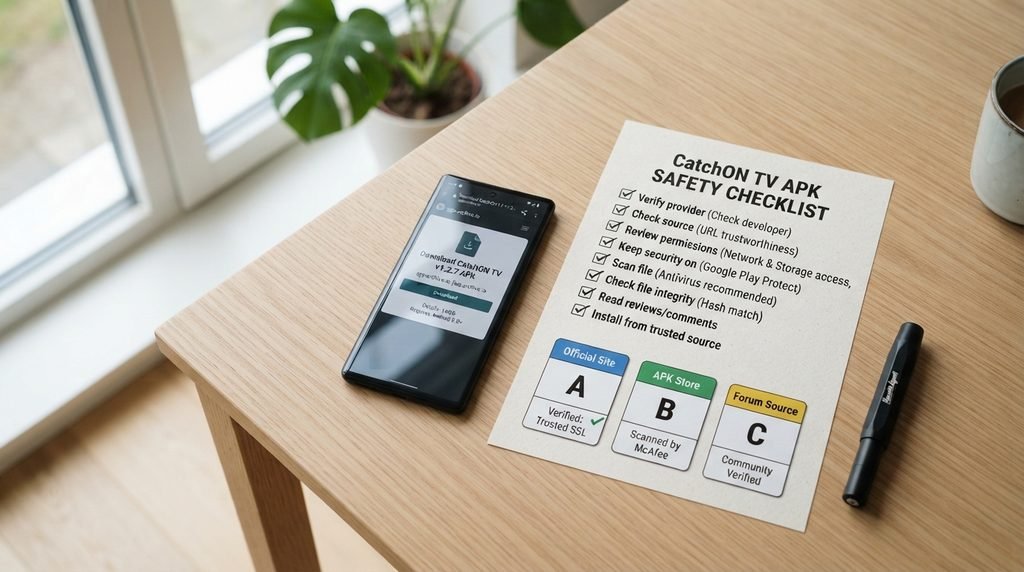
CatchON TV APK Safety Checklist
Before installing a CatchON TV APK, check the source rather than relying on branding.
What to Check
Better Sign
Warning Sign
APK source
Supplied directly by a provider you independently verified
Random APK site, forum comment, or shortened link
App identity
Provider clearly explains which app it distributes
Page simply claims “official CatchON APK”
Website
Clear operator and contact information
Little information beyond a download button
Security
Play Protect remains enabled
Instructions tell you to disable security permanently
Login
Credentials belong to the provider you verified
App asks for old CatchON credentials unexpectedly
Payment
Seller identity is clear before payment
Payment required to “restore” an old CatchON account
Permissions
Permissions make sense for a streaming app
Requests unrelated sensitive permissions
This checklist is more useful than trusting a familiar icon or application name. The former Channelmoa service specifically warns users not to give credentials or payment details to websites claiming association with the discontinued service.
Key Takeaway: Verify the provider first. Verify the APK second.
Is the CatchON TV APK Safe?
A CatchON TV APK cannot be declared safe simply from its filename or branding. Google Play Protect checks Android devices for potentially harmful applications, including apps installed from sources outside Google Play. Google says Play Protect can warn about harmful apps, block certain installations, disable applications, or remove them when necessary. Google also recommends keeping Play Protect enabled rather than disabling it simply to install an application.
That does not mean every externally installed APK is malicious. It means externally distributed files deserve extra verification because you may have less information about who supplied them.
Five Checks Before Installing
Before opening an APK:
Confirm who provided the file.
Avoid files received through random private messages or forum replies.
Keep Google Play Protect enabled.
Review requested application permissions.
Do not enter payment details or old account passwords unless you have verified the operator.
If Android displays a security warning, do not immediately disable security protections simply to make the installation continue. The warning is a reason to investigate the source.
Key Takeaway: Security checks should be part of installing an APK, not an obstacle to bypass.
How CatchON TV APK Installation Works on Android
If you already have an APK from a source you trust, Android can install applications distributed outside Google Play.
The exact menu names differ between Android versions and television manufacturers, but the general process is:
Download the verified APK.
Open the downloaded file.
Android may ask whether that browser or file manager can install unknown applications.
Review the installation request.
Review any permissions shown.
Allow Google Play Protect to check the application.
Open the app after installation completes.
Google explains that Play Protect checks applications when they are installed and continues scanning the device afterward. It can also evaluate apps downloaded from outside Google Play. If Play Protect identifies the file as potentially harmful, forcing the APK to install by turning off protection is not a good troubleshooting strategy.
Instead, verify the file again.
Can CatchON TV APK Be Installed on Firestick?
Fire TV devices can technically run sideloaded APK applications. Amazon’s own Fire TV developer documentation explains that installing an application outside the Amazon Appstore is called sideloading and documents APK installation on Fire TV devices. That answers the technical compatibility question. It does not answer whether a specific CatchON TV APK is authentic. Those are separate questions:
Can Firestick install an APK? Yes, Fire TV supports sideloaded apps.
Is this particular CatchON APK trustworthy? That depends on where the file came from and who currently operates the service associated with it.
A technically installable APK is not automatically a verified APK.
Key Takeaway: Firestick compatibility does not prove that a CatchON TV APK is legitimate.
Why Does CatchON TV APK Not Work?
If you already have CatchON TV installed and it does not work, reinstalling the APK may not solve the underlying problem.
Several different failures can look identical from the user’s perspective:
The APK file is outdated.
The installation became corrupted.
The application is incompatible with your device.
Android blocked the application.
Your login or activation credentials are no longer accepted.
The app cannot reach its authentication server.
The service behind that version of the application is no longer operating.
The APK belongs to a different provider using similar CatchON branding.
The last possibilities matter because the former Channelmoa/Catchon service currently states that it has been permanently discontinued and cannot be restored. If the backend service is gone, reinstalling an old application will not rebuild the servers it depended on.
App Installs but Does Not Load
This usually tells you that the installation itself succeeded. The failure may instead involve authentication, networking, an outdated version, or the remote service.
Activation Code Is Rejected
Do not immediately purchase another code from the first CatchON-named website you find. Verify which provider issued your original subscription and whether that provider still operates.
App Suddenly Requests New Credentials
Treat unexpected credential requests cautiously, particularly if an old app directs you toward an unfamiliar website. The current Channelmoa warning specifically tells former users not to provide passwords or credentials to other websites claiming association with Catchon.
Key Takeaway: Identify whether the failure comes from the APK, device, account, or backend service before reinstalling anything.
Should You Download an Old CatchON TV APK?
An old APK may still install successfully while being practically useless. Streaming applications usually depend on more than the local software stored on your television. They can require authentication servers, subscription databases, streaming infrastructure, APIs, and other remote systems. If those systems no longer respond, an old APK cannot recreate them.
There is another issue with archived APK files: unless the source is known, you may not know whether the file is an untouched original or a modified copy. For that reason, repeatedly trying APK mirrors is not a strong solution when the actual problem is an unavailable service. If you are mainly trying to find what content CatchON historically offered, our CatchON TV channel list is more useful than experimenting with unknown APK files.
What If You Already Paid for CatchON TV?
If you already paid for a subscription and your application stopped working, keep your original records.
Save:
Purchase confirmation
Payment receipt
Date of payment
Subscription duration
Emails or messages from the seller
Original provider website
Account or activation information
Do not send another payment simply because a different CatchON-branded website promises to restore the account. For information about CatchON plans and pricing, see our CatchON TV pricing page. If you need to contact the site about information published on CatchOnTVUSA, use our contact page.
Key Takeaway: Preserve your original account and payment records instead of paying an unfamiliar replacement service.
CatchON TV APK FAQ
Where Can I Download the CatchON TV APK?
CatchON-branded APK files may still appear online, but there is no download source reviewed here that can be confidently presented as the verified continuation of the discontinued CatchON/Channelmoa service. Verify the provider before downloading.
Is the CatchON TV APK Safe?
Safety depends on the specific file and source. Google recommends keeping Play Protect enabled because it checks applications from Google Play as well as potentially harmful apps installed from other sources.
Can I Install CatchON TV APK on Firestick?
Fire TV supports sideloaded APK applications. However, device compatibility does not prove that a particular CatchON TV APK comes from a trustworthy or currently operating provider.
Why Is My CatchON TV APK Not Working?
Possible causes include an outdated file, installation problem, incompatible device, rejected credentials, unavailable server, or a discontinued service. Determine which layer is failing before repeatedly reinstalling the application.
Is CatchON TV Still Available in 2026?
The former Channelmoa/Catchon service states that it has been permanently discontinued and cannot be restored. It also warns that other websites using the Catchon name are not affiliated with that service.
What Should You Do Next?
If you already received a CatchON TV APK from a provider you independently trust, verify the source and leave your device’s security protections enabled while installing it. If you found a random APK through a search result, forum post, social-media message, or unfamiliar website, do not assume it is authentic because it uses the CatchON name.
The discontinued Channelmoa/Catchon service explicitly warns former users about unaffiliated websites using the brand and advises against sharing payment details, passwords, or credentials with them. For more information, visit the CatchON TV homepage, explore the channel list, review CatchON TV pricing, or use the contact page if you need to reach the site.
This article is informational. Application availability, provider ownership, service status, and APK versions can change. Only install software you are legally permitted to use and obtain files from sources you can independently verify.