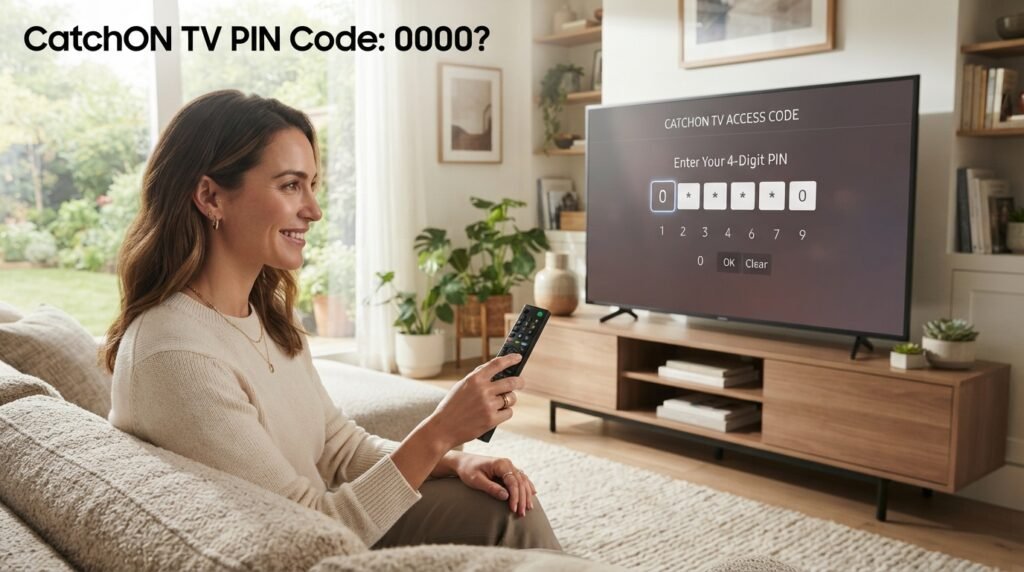
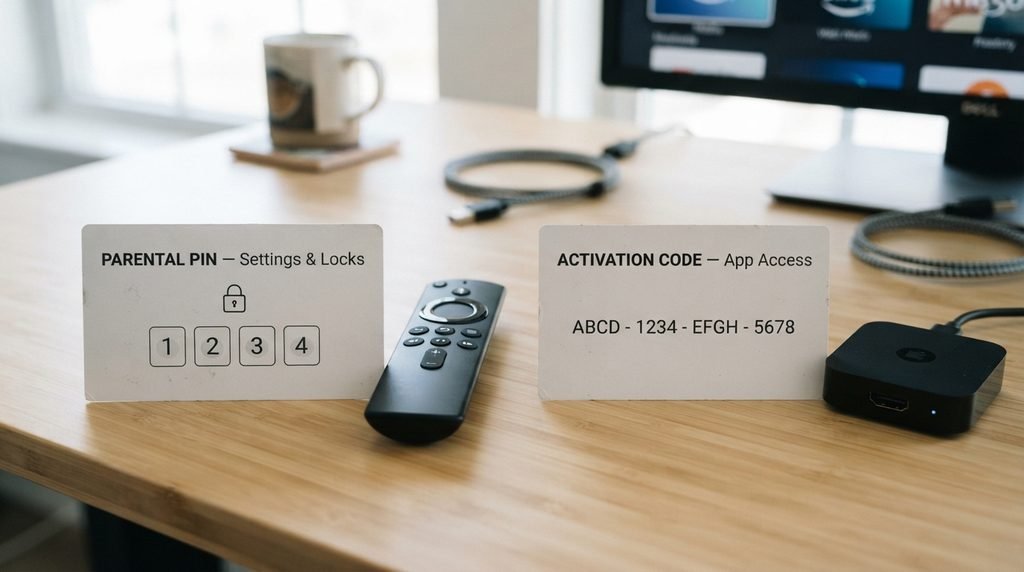
The historical CatchON TV PIN code used for parental controls was 0000 by default. CatchON tutorials state that the same default PIN was used to enter Settings, unlock channels, and access restricted categories unless the user had already changed it. (CatchOnTV) Do not confuse the parental PIN with a CatchON activation or prepaid code. They perform completely different jobs.
There is also an important 2026 update: the former Channelmoa/CatchON service now says it has been permanently discontinued and cannot be restored. If an old CatchON installation rejects your PIN today, the problem may not actually be the PIN itself.
Last updated: September 21, 2026
Research method: This guide compares historical CatchON app documentation, third-party tutorials, and the current Channelmoa service notice. Older instructions are clearly separated from the current service status.
Table of Contents
What Is the CatchON TV PIN Code?
The CatchON TV PIN code was a four-digit parental-control code built into the CatchON application. Historical CatchON documentation says the default code was:
0000
The PIN could be required when entering certain settings, unlocking channels, accessing restricted sections, or changing parental-control options. If the owner had already changed the PIN, however, 0000 would no longer work. That distinction matters because many people searching for “CatchON TV pin code” are actually dealing with one of three different codes.
Code Type
Purpose
Typical Use
Parental PIN
Controls locked content/settings
Unlocking channels or entering parental settings
Activation code
Connects the app to an account
Initial app activation
Prepay/subscription code
Associated with access or renewal
Account/subscription management
A parental PIN cannot replace an activation code, and an activation code will not normally unlock parental settings.
Key Takeaway: If the app asks for a four-digit parental PIN, the historical default is 0000.
What Is the Default CatchON TV PIN?
The documented default CatchON TV PIN code is 0000.
An older CatchON application guide states that 0000 was the default parental-control PIN for:
Unlocking locked channels
Entering Settings
Accessing parental-control options
Opening the 19+ category in older versions
A separate tutorial updated in late 2025 also gives 0000 as the default PIN for the TV version of CatchON unless the user previously created a custom code.
If 0000 does not work, do not keep entering random four-digit numbers. First determine whether the PIN was changed or whether the app is actually asking for another type of code.
PIN Code vs Activation Code
This is probably the most common source of confusion.
A CatchON TV PIN code and an activation code are not the same thing.
CatchON TV PIN
The parental PIN is usually short and numeric. Its purpose is to restrict settings or specific content. Historical default: 0000
CatchON TV Activation Code
An activation code was provided when setting up the application or account. Older CatchON documentation states that first-time users needed an activation code after installing the app. (CatchOnTV) If the screen appears immediately after installing CatchON and asks you to activate the app, 0000 probably is not what it wants.
How to Tell Which Code You Need
Ask yourself what you were doing when the prompt appeared.
Trying to enter Settings or unlock a channel? Likely parental PIN.
Opening the app for the first time? Likely activation code.
Trying to restore or extend account access? Likely account/subscription credentials rather than the parental PIN.
Key Takeaway: Do not buy a new activation code just because a parental PIN failed.
How to Enter the CatchON TV PIN
On historical TV versions of CatchON, a PIN prompt appeared automatically when the user selected a protected feature.
The basic process was:
Open CatchON TV.
Navigate to the protected channel or Settings area.
Wait for the PIN entry screen.
Enter 0000 if the PIN was never changed.
Confirm the code.
If the account owner had changed the code previously, enter the custom PIN instead. Older CatchON documentation also says the Settings menu itself could require the parental-control PIN.
How to Change the CatchON TV PIN
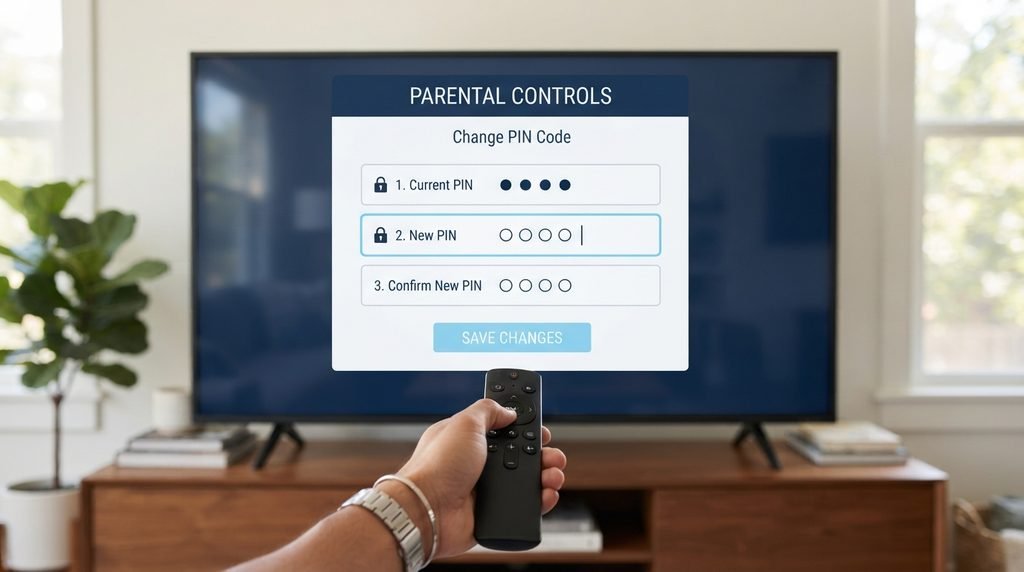
Older CatchON versions allowed users to replace the default PIN with a custom four-digit code.
The documented process was broadly:
Open Settings.
Enter the current parental PIN.
Open Parental Control.
Select Change PIN.
Enter the existing PIN.
Enter the new PIN.
Enter the new PIN again to confirm it.
CatchON’s older tutorial specifically says the old PIN had to be entered first and that the new PIN was entered twice. If you still use parental controls on any streaming device, changing a default code such as 0000 is sensible because anyone who knows the default could otherwise bypass the restriction.
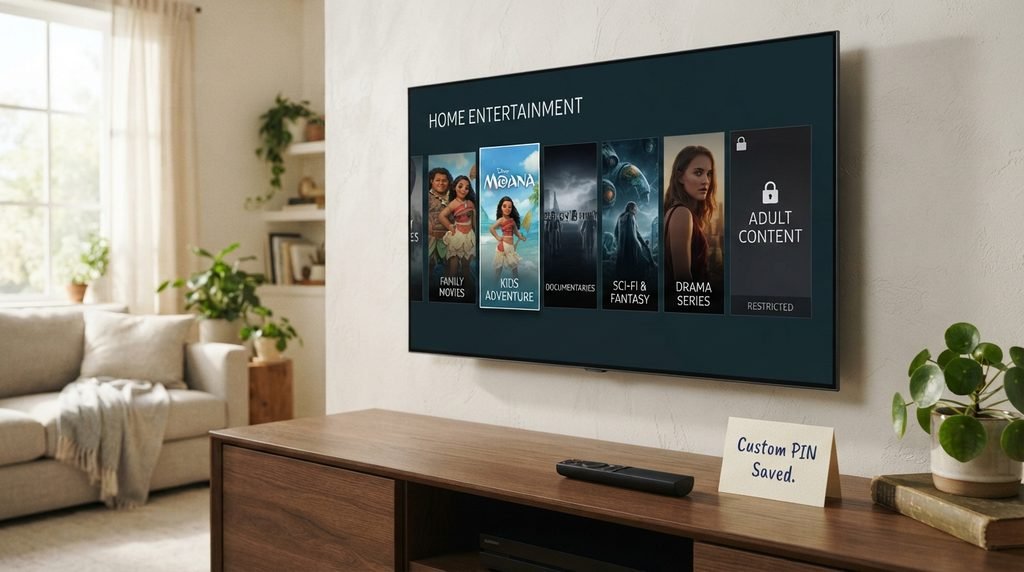
Key Takeaway: A custom PIN overrides 0000, so remember the new number once you change it.
What If CatchON TV PIN 0000 Does Not Work?
If 0000 fails, there are several possible explanations.
The PIN Was Already Changed
This is the simplest explanation. A family member or previous device owner may have created a custom parental PIN. In that situation, reinstalling the app may not necessarily restore the code if settings or account data are stored remotely.
You Are Entering the PIN in the Wrong Prompt
Check the wording carefully. If the application says:
Activation Code
then it is not asking for the parental PIN. Likewise, an authentication error is different from a parental-control prompt.
You Are Using a Different App Version
CatchON changed over time, and the application was later renamed to MoaTV. Channelmoa’s community update described the CatchON-to-MoaTV rename and a move from older 1.x versions to 2.x versions. Menus and PIN behavior can therefore differ between versions.
The Original Service Is No Longer Operating
This is increasingly important in 2026.
Channelmoa’s current official notice states that Channelmoa / Catchon is no longer available, that the service has been permanently discontinued, and that it cannot be restored. If an old installation now fails to load account data, authenticate, or accept codes, the problem may be the discontinued backend rather than an incorrect parental PIN.
Key Takeaway: A rejected 0000 PIN does not automatically mean you need a new subscription or activation code.
How to Unlock a Locked CatchON TV Channel
Older CatchON versions allowed individual channels to be locked.
The documented interface let users select a channel’s lock option and then require the parental PIN to unlock it later. CatchON’s historical tutorial gives 0000 as the default PIN.
The process was generally:
Select the locked channel.
Wait for the PIN prompt.
Enter 0000 if the default was never changed.
Confirm.
If the PIN has been customized, use that number instead.
This parental lock was separate from subscription access. Unlocking a channel did not grant access to channels that were not already part of the account.
What About the CatchON TV 19+ PIN?
Some searches for the CatchON TV PIN are specifically about the older restricted-content section. On older CatchON TV versions, the default parental code for the restricted section was also documented as 0000. A later third-party guide says that certain TV app versions hid the category from the normal menu and used a remote-control sequence to reveal it, after which the standard parental PIN was requested.(Vizivu) Because application behavior changed between versions, instructions from one build may not work on another.
The useful distinction remains the same:
PIN = parental restriction
Activation code = service/account access
Did the PIN Change After CatchON Became MoaTV?
There is evidence that the application itself changed substantially during the transition. Channelmoa’s own community announcement said the CatchOn app was officially renamed MoaTV and that its version moved from the 1.0.x series to the 2.0.x series as part of a major update.
That does not establish one universal new parental PIN for every MoaTV version. Older 0000 instructions refer specifically to CatchON versions and older app documentation. If a newer app prompts for a code that 0000 does not satisfy, do not automatically assume that another number found on a forum is correct.
CatchON TV PIN Troubleshooting Table
Use this before changing anything.
Problem
What to Check
0000 works
PIN probably remained at default
0000 fails in Settings
PIN may have been changed
App asks for activation code
This is not the parental PIN
Locked channel rejects PIN
Check whether a custom PIN was created
App fails to authenticate
Investigate account/server issue
Old CatchON app fails completely
Original service may be discontinued
Website asks you to pay for a new PIN
Do not assume it is legitimate
This is the core difference most competing pages fail to explain clearly: not every CatchON code prompt is a PIN prompt.
Should You Pay Someone for a CatchON PIN Code?
No legitimate parental-control PIN should require you to buy a new subscription simply to unlock Settings.
Be particularly cautious now because Channelmoa’s current security notice says that other websites, services, or people using the Catchon or Channelmoa names are not affiliated with the former service. It tells users not to provide passwords, credentials, payment details, or personal information to sites claiming an association.
If a website says:
“Pay us to recover your CatchON PIN” or “Buy a new code to restore your old account” verify exactly what it is selling before providing any information. For general historical pricing information, see our CatchON TV pricing page.
What If You Forgot Your Custom PIN?
If you changed the parental PIN yourself and no longer remember it, the old default 0000 may no longer help. Historically, the normal Change PIN process required the existing PIN before a new one could be set. That means there was no documented universal reset number in the material reviewed for this article.
Be careful with websites claiming they have a secret universal reset PIN. Different app builds may behave differently, and some current websites using the CatchON name are not connected to the discontinued original operation. If you need to contact our site about information on this guide, use the CatchOnTVUSA contact page.
Is the CatchON TV PIN Still Useful in 2026?
For an old application that is still locally installed, the interface may still show a PIN prompt. But a working local PIN does not guarantee that the streaming service behind the app still functions. Channelmoa’s current service notice says the original Channelmoa/CatchON service has been permanently discontinued.
That means an old app could still:
Open
Display menus
Ask for a PIN
Remember favorites
while failing to:
Authenticate the account
Load channels
Validate activation credentials
Connect to former servers
The PIN only controls the local or account-level restriction. It does not restore a discontinued service. For historical channel information, see our CatchON TV channel list.
CatchON TV PIN Code FAQ
What Is the Default CatchON TV PIN Code?
The historical default CatchON TV parental PIN is 0000. Older CatchON documentation says it was used to enter Settings and unlock protected channels unless the user had changed it.
Why Does CatchON TV PIN 0000 Not Work?
The PIN may have been changed, you may be using a different app version, or the screen may actually be requesting an activation code rather than the parental PIN.
Is the CatchON PIN the Same as the Activation Code?
No. The PIN controls parental restrictions and locked settings, while the activation code was used to connect the CatchON app with an account.
Can I Reset a Forgotten CatchON TV PIN?
The historical documentation reviewed here explains how to change a PIN when the existing PIN is known, but it does not provide a reliable universal forgotten-PIN reset code.
Does the CatchON TV PIN Still Work in 2026?
It may still work inside an older locally installed app, but the former Channelmoa/CatchON service itself now says it has been permanently discontinued.
What Should You Do Next?
If the app is asking specifically for a parental-control PIN, try:
0000
If that does not work, determine whether someone previously changed the PIN. If the screen asks for an activation code, authentication code, or account code, stop trying parental PIN numbers because you are dealing with a different system.
And if you are using an old original CatchON installation in 2026, remember that the former Channelmoa/CatchON service currently says it is permanently discontinued. For more information, visit the CatchON TV homepage, view the channel list, review pricing information, or use the contact page.
This guide documents historical CatchON app behavior. Application versions, interfaces, service ownership, and code behavior can change.