Searching for catchon tv prepay code usually means you are looking at an app screen that refuses to continue until you enter a code, or you previously had working access and now need to renew, recover, or replace it. The confusing part is that older CatchON TV versions relied heavily on prepay-style codes, while the current service at CatchON TV describes activation differently. Its current pricing page says customers receive login credentials after confirmation, which means a modern account may not behave exactly like the older CatchON apps discussed in Reddit posts from 2023, 2024, and 2025.
That difference matters because many old catchon tv prepay code searches still surface public codes, outdated installation guides, old reseller instructions, and discussions involving other CatchON-branded services. A code that once unlocked a three-day trial is not the same as a current paid subscription, and a prepay code connected with another provider will not necessarily work with the .us service used throughout this site. Instead of hunting for a magic universal number, the safer approach is to understand what the code represents, where yours should come from, and whether the real problem is the code, the app, the subscription, or the service you purchased.
How to Tell if a Code Is Valid
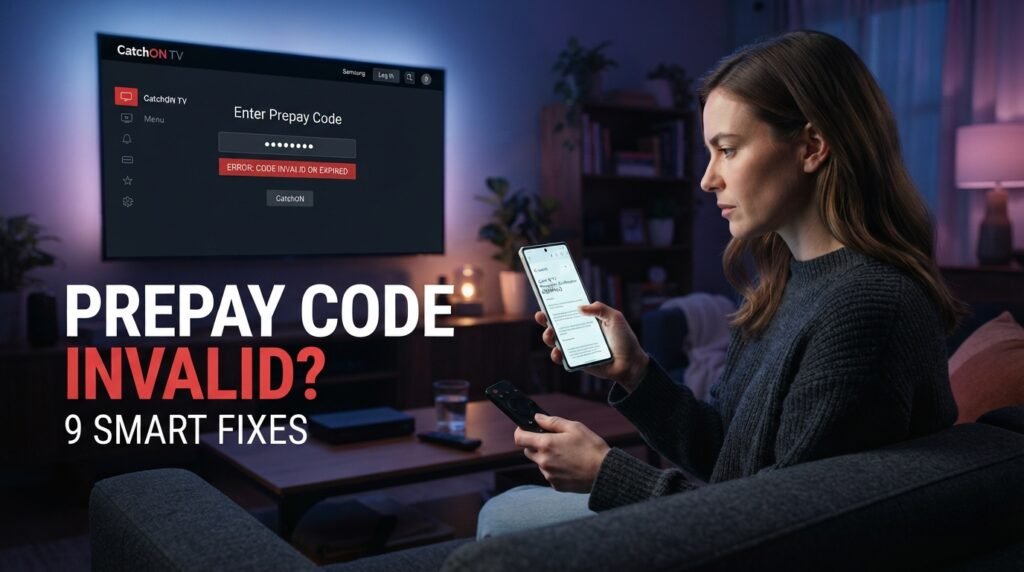
A rejected catchon tv prepay code can mean several different things. The code may be expired, mistyped, connected to another app, tied to another CatchON provider, or associated with a subscription that has already ended. The error message itself often does not explain which of those possibilities applies. Rather than entering the same number repeatedly, look at when the code last worked and whether it behaves differently on another installation.
The Code May Have Expired : Public trial codes shared in old Reddit threads were often temporary. Some users reported that a code worked for a few days and then became invalid, which is exactly what you would expect from a limited trial. A catchon tv prepay code connected with a paid subscription can also stop working when that subscription expires.
The Code May Belong Elsewhere : One of the biggest problems around CatchON TV is the number of domains and resellers that have appeared over time. A valid code from one service may be meaningless to another application. Check the website associated with your purchase before assuming the catchon tv prepay code itself is defective.
The App May No Longer Match : Older CatchON applications and later versions did not always behave identically. If a code worked before an app update and suddenly becomes invalid afterward, the authentication method or supported version may have changed. Do not immediately reinstall random older APKs. First confirm which version is expected for your subscription.
Why CatchON TV Used Prepay Codes
Older CatchON TV setups often used a prepay code as the main bridge between the installed application and a paid or trial subscription. Reddit discussions from 2023 and 2024 show people installing the app, opening it, and reaching a code field before they could access the channel interface. Other users described purchasing a subscription and then waiting for the provider to send the code needed to unlock access.
That older workflow explains why catchon tv prepay code remains a popular search today. However, it should not be treated as proof that every current CatchON account still uses the same system.
Older Apps Used Code-Based Access
Historical CatchON instructions show users downloading the application and then entering a code before the app became usable. Some public trial codes were also circulated in older community posts, which made it look as though CatchON TV relied on one simple number for access. In reality, those codes could be temporary, account-specific, reseller-specific, or connected to a particular app version. Their existence does not mean one permanent catchon tv prepay code should work forever.
Current Accounts May Use Login Credentials
The current CatchON TV pricing page says activation is followed by automated login credentials sent to the customer. That language is different from older prepay-code instructions and suggests that the current .us setup may use account credentials rather than the exact same legacy workflow.
If your current confirmation email contains a username and password instead of a catchon tv prepay code, follow the information actually supplied with your account.
Why Old Instructions Cause Confusion
Search engines do not automatically remove old tutorials when a service changes. A 2023 Reddit post, a 2024 app guide, and a 2026 subscription page can all appear together even though they describe different stages of the product. Always check the date and the domain before following a catchon tv prepay code tutorial.
Where Your Prepay Code Should Come From
A legitimate catchon tv prepay code should come from the subscription, provider, or setup process associated with your account. Older Reddit users repeatedly described receiving their code after paying or contacting support, which strongly suggests that codes were tied to the account rather than generated freely by users.
Start with your purchase records. Search the email address used at checkout and look for messages containing words such as activation, setup, account, subscription, login, or code. Check spam and junk folders if the purchase was recent.
Use this order:
Check the purchase confirmation.
Search the email used during checkout.
Review any setup instructions you received.
Confirm which CatchON website you purchased from.
Compare the app screen with the credentials you received.
Only contact support after checking those records.
Avoid buying another plan until you know the first one failed.
If your order confirmation never mentions a catchon tv prepay code and instead provides normal login credentials, that may be the correct setup for your current subscription.
How to Tell if a Code Is Valid
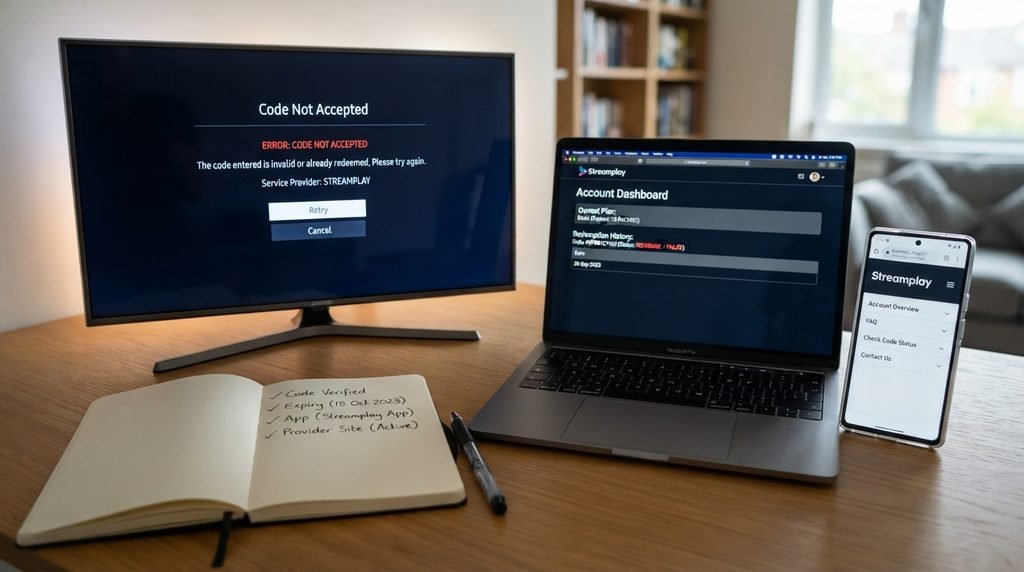
A rejected catchon tv prepay code can mean several different things. The code may be expired, mistyped, connected to another app, tied to another CatchON provider, or associated with a subscription that has already ended. The error message itself often does not explain which of those possibilities applies.
Rather than entering the same number repeatedly, look at when the code last worked and whether it behaves differently on another installation.
The Code May Have Expired
Public trial codes shared in old Reddit threads were often temporary. Some users reported that a code worked for a few days and then became invalid, which is exactly what you would expect from a limited trial. A catchon tv prepay code connected with a paid subscription can also stop working when that subscription expires.
The Code May Belong Elsewhere
One of the biggest problems around CatchON TV is the number of domains and resellers that have appeared over time. A valid code from one service may be meaningless to another application. Check the website associated with your purchase before assuming the catchon tv prepay code itself is defective.
The App May No Longer Match
Older CatchON applications and later versions did not always behave identically. If a code worked before an app update and suddenly becomes invalid afterward, the authentication method or supported version may have changed. Do not immediately reinstall random older APKs. First confirm which version is expected for your subscription.
What Old Reddit Prepay Codes Really Mean
Reddit is useful for understanding the history of the catchon tv prepay code system, but it should not be treated as a current code database. A 2023 CatchON installation post publicly showed a code alongside an app-download instruction. By 2024, users were already reporting that some shared codes no longer worked, while others said they expected to receive individual codes after paying.
Another 2024 thread shows a user purchasing a one-month subscription and asking where the prepay code was. Other commenters told them the provider should send it after payment. In 2025, users were still discussing lost codes and saying support could resend them. By August 2026, some users in the older CatchON/Moa ecosystem reported that previously working codes no longer opened the app.
That history tells you several useful things:
Reddit pattern
What it suggests
Public trial code worked temporarily
Trial code, not permanent access
User paid but received no code
Delivery/account issue
Support resent lost code
Code tied to existing subscription
Code stopped after subscription period
Possible expiration
Code failed after app change
App/authentication mismatch
Different CatchON sites used different instructions
Provider/domain confusion
The correct lesson from Reddit is not “find someone else’s catchon tv prepay code.” It is that codes were part of older account authorization and could expire, be replaced, or depend on the provider involved.
Renewing Without Buying a Second Plan
Renewal is another area where people can easily waste money. If your catchon tv prepay code suddenly becomes invalid near the end of your subscription, first confirm the expiration date before paying again. If the plan is still active, the problem may be account-related rather than a genuine need to renew.
The current CatchON TV pricing page lists one-, three-, six-, and twelve-month options. For one simultaneous connection, the current totals are $15.99 for one month, $35 for three months, $59 for six months, and $79 for twelve months.
Before renewing, save:
Existing account information
Purchase date
Subscription expiration date
Number of simultaneous connections
Current login or activation details
Payment confirmation
Device/app version
Any previous setup instructions
If the current service uses login credentials instead of an old-style catchon tv prepay code, renewing through the correct account process makes more sense than trying to force the older workflow.
When the Code Fails After Payment
The most frustrating catchon tv prepay code problem is paying successfully and then being unable to use the service. At that point, the goal is to determine whether the payment, code delivery, application, or account authorization is the actual problem. Do not place another order immediately. A second payment will not fix a code that was never delivered correctly.
Payment Completed but No Code Arrived
First confirm that the payment actually completed and that you are checking the correct email account. Search spam and junk folders and look for messages that may contain login information instead of a field explicitly labeled “prepay code.” The current .us pricing page says customers receive login credentials after confirmation, so you may be waiting for a catchon tv prepay code that your current subscription does not use.
Code Is Rejected Immediately
If a newly supplied code is rejected on the first attempt, compare every character carefully. Television remotes make zero and the letter O, one and lowercase L, and accidental spaces particularly easy to mix up. If the exact code still fails, verify the app and domain before assuming the subscription itself is invalid.
Code Worked and Then Stopped
A code that worked normally for weeks and suddenly stops usually points toward subscription expiration, account changes, or a service/app update rather than a simple typing mistake. Check the subscription period first. If it should still be active, avoid changing multiple settings at once.
Prepay Codes Versus Other CatchON Credentials
A modern streaming setup can involve several numbers and passwords, which is why catchon tv prepay code searches often become unnecessarily confusing. The simplest way to avoid mistakes is to identify what each credential is designed to do.
Credential
Main purpose
Prepay code
Legacy/app subscription authorization
Login credentials
Account authentication
Activation code
Initial setup or authorization
Parental PIN
Protect restricted settings/content
Fire TV code
Register Amazon device
Trial code
Temporary service access
Wi-Fi password
Connect device to network
If the screen asks for a username and password, do not enter an old catchon tv prepay code. If the app asks for a four-digit parental PIN, do not use subscription credentials.
Reading the actual field label is more useful than assuming every number connected with CatchON TV serves the same purpose.
Safer Ways to Handle Codes and Payments
Because people actively search for free or replacement catchon tv prepay code values, this keyword also attracts questionable sellers, old trial credentials, unknown APKs, and messages promising lifetime access for very little money. Those offers create unnecessary risk because you often have no way to confirm who owns the code or how long it will remain active.
The safest approach is boring but effective: use the website and subscription you intentionally chose, save the transaction records, and avoid moving the conversation to random contacts unless the provider itself directs you there.
Be cautious with:
“Unlimited prepay code generators”
Lifetime codes sold extremely cheaply
Codes posted publicly in video comments
Unknown APKs claiming to bypass activation
People asking you to pay without an order record
Credentials sold through unrelated social accounts
Requests for your full password or card information
Old public trial codes presented as current paid access
The FTC’s online shopping safety guidance recommends checking sellers carefully, using payment methods with protections where possible, and keeping transaction records. Those habits are particularly useful when dealing with any online subscription or access-code purchase.
CatchON TV Prepay Code Frequently Asked Questions
What is a CatchON TV prepay code?
A catchon tv prepay code is an authorization value used by some CatchON TV app versions to unlock subscription or trial access. Older CatchON installations relied on these codes more visibly than the current .us subscription pages do. Current accounts may instead receive login credentials, so follow the setup information actually provided with your purchase.
Where do I get my CatchON TV prepay code?
Look first at the confirmation and setup information connected with your subscription. Older users often received codes directly from the provider after payment or had support resend them when they were lost. If your current order gives you a username and password instead, those may be the correct credentials for the present setup.
Is there a universal free prepay code?
Old public trial codes have circulated online, but they were temporary and should not be treated as permanent subscription credentials. A code that worked years ago may be expired or connected to a completely different service. There is no reason to expect one public catchon tv prepay code to unlock every current account.
Why does my prepay code say invalid?
The code may be mistyped, expired, connected with another app, tied to a different provider, or associated with an ended subscription. App changes can also affect how authentication works. Check the subscription and app before buying another code or reinstalling everything
Is the prepay code the same as my login?
Not necessarily. Older apps often used prepay-style authorization, while the current pricing page refers to login credentials delivered after activation. Use whichever credential type your current app actually requests.
Is the prepay code the same as my PIN?
No. A parental PIN usually protects settings or restricted content after the app is already active. It should not normally replace the catchon tv prepay code or login information needed to authorize the subscription.
Final Thoughts on CatchON TV Prepay Codes
The catchon tv prepay code system makes much more sense when you view it as part of CatchON TV’s older authorization history rather than as one permanent public number. Older apps clearly used prepay and activation codes, community discussions show users receiving individual codes after payment, and public trial codes circulated for short periods. That explains why so many outdated values still appear in search results today.
For the current service covered here, start with the CatchON TV official website and the credentials actually provided with your account. If your app explicitly asks for a catchon tv prepay code, use the code associated with your subscription. If the current setup instead supplies login credentials, do not force an older code-based process onto it simply because an old tutorial says you should.
The best approach is to keep the original order information, verify the domain and app, check the subscription period, and troubleshoot systematically before buying anything twice. A prepay code problem is often easier to solve once you know whether you are dealing with an expired code, the wrong app, the wrong provider, or a newer login method.