Searching for the catchon tv official website usually means you want to make sure you are on the right site before paying, downloading an app, starting a trial, or entering any personal information. That is a reasonable concern because search results can contain old CatchON domains, similarly named services, outdated tutorials, Reddit posts, resellers, and pages that may no longer be connected to the service you are trying to use. The safest approach is not to assume that the first result containing the words “CatchON TV” is automatically the correct one. Instead, verify the domain, compare the pages, and make sure the pricing, channel list, and setup information all belong to the same website.
For the service covered in this guide, the current CatchON TV official website is catchontvusa.us. The site currently promotes live TV, VOD, EPG functionality, multi-device support, subscription plans, a 24-hour trial, and instant activation. It also links directly to the current pricing and channel-list pages used throughout this article. Because several CatchON-related names have appeared online over time, knowing the exact domain is more useful than simply recognizing the brand name. This guide shows how to verify the site, what information you should check before buying, and how to avoid confusing old CatchON pages with the current .us website.
Table of Contents
How to Identify the Correct CatchON TV Website
The first thing to verify is the domain itself. The current catchon tv official website used throughout this guide is catchontvusa.us, and the key pages for pricing and channel information are hosted on that same domain. If you land on another CatchON-branded page, do not immediately assume it is part of the same service simply because the logo, name, or product description looks similar.
A legitimate-looking design is not enough to verify a website. The stronger signs are consistency across the domain, pricing pages, channel lists, checkout links, support information, and the setup instructions associated with your subscription. If all of those details point back to the same .us site, you have a much clearer picture of which service you are dealing with.
Verify the Domain Before Paying
Look carefully at the browser address bar before entering payment or account information. You should see catchontvusa.us when using the catchon tv official website covered here. Avoid making decisions based only on page titles in Google because search results can include ads, old indexed pages, review websites, and unrelated services that use similar wording.
Check That Key Pages Match
The official site should connect naturally to its own CatchON TV pricing page and CatchON TV channel list. Those pages should look like part of the same website and use the same overall service information. If one page suddenly sends you to an unrelated domain with completely different branding or account requirements, stop and verify what you are using.
Save the Website Before Ordering
Once you confirm the correct catchon tv official website, bookmark it rather than searching from scratch every time. This reduces the chance of accidentally opening a lookalike result later when you want to renew, review channels, or compare plans.
What the CatchON TV Website Currently Offers
The current website presents CatchON TV as a multi-device IPTV service combining live television with movies, TV series, sports, and an electronic program guide. The homepage currently advertises more than 24,000 live channels and a large on-demand library while the pricing section displays slightly different catalog figures. Rather than treating those headline numbers as permanent guarantees, it is better to use them as an indication of the scale of the catalog and then verify the actual content that matters to you.
The catchon tv official website also currently promotes Firestick, Android, Smart TV, PC, Mac, and other common streaming platforms. The site says activation is immediate after purchase and presents a 24-hour trial without a credit card requirement. These are provider claims, so users should still test their own setup rather than assuming every device and every network will behave identically.
Here is the kind of information currently available through the site:
Website area
What you can check
Homepage
Main service features
Pricing
Subscription durations and device counts
Channel list
Available channel categories
App information
Supported platforms
Trial information
Current trial offer
Support
Setup and account assistance
Sports sections
Major sports categories
EPG information
TV-guide functionality
The catchon tv official website is therefore most useful when you use several pages together instead of judging the service from the homepage alone.
Check CatchON TV Pricing Before Checkout
Pricing is one of the most important areas to verify because subscription costs and promotions can change. The current CatchON TV pricing page lists one-, three-, six-, and twelve-month subscriptions and allows buyers to select how many devices can watch simultaneously.
For one connection, the current displayed prices are:
Plan length
Current listed total
1 Month
$15.99
3 Months
$35
6 Months
$59
12 Months
$79
Those totals matter, but so does the number of simultaneous screens. A household where one person watches at a time has different requirements from a family with several people watching different content simultaneously.
Understand Simultaneous Connections
The site currently allows users to select between one and five devices watching at the same time. That does not necessarily mean you need a separate connection for every phone, television, or tablet you own. Think about the busiest normal evening in your household. If only one screen is normally active, one connection may be enough even if you have several compatible devices.
Compare Short and Long Plans
Longer plans currently reduce the effective monthly cost. The annual option costs more upfront but works out much cheaper per month than repeatedly buying the one-month plan. That does not mean a new user should automatically buy twelve months. A shorter plan offers more flexibility while you learn how the service performs on your own device and network.
Check the Total Before Paying
Before checkout, confirm both the selected duration and the number of connections. A pricing mistake can happen simply because you changed one setting and forgot to review the updated total. Take a screenshot or save the order summary if you want a record of what you selected.
Keep Purchase Records
Save the payment confirmation, selected plan, subscription dates, connection count, and any setup information you receive. Those records are useful if you need support later. The FTC also recommends keeping receipts and order records for online purchases, which is good practice regardless of which streaming service you are using.
Review the CatchON TV Channel List First
A large advertised catalog is not useful if the specific networks you care about are missing. Before paying, open the CatchON TV channel list and search for your own must-have content rather than scrolling randomly. The current list includes a broad mix of U.S. and international categories, but every household has different priorities. One person may care mainly about sports, another may want international television, and another may focus on movies, news, or family programming.
Use this checklist before subscribing:
Main sports networks
Local or regional channels
News channels
Entertainment networks
Movie channels
International categories
Kids and family content
PPV categories
EPG availability
This is one of the strongest reasons to use the catchon tv official website instead of relying only on third-party reviews. The current channel page gives you a direct place to check whether the service at least lists the content you care about before you spend money.
Use the Website to Verify Device Support
Device compatibility should be checked before purchasing because installation methods can vary. The current catchon tv official website promotes support for Firestick, Android devices, Smart TVs, PCs, Macs, and other popular streaming platforms.
The phrase “Smart TV” can still be broad because Samsung, LG, Android TV, Google TV, and Fire TV do not all use the same operating system. A service may support Smart TVs generally while requiring a different app or external streaming device depending on the television model.
Firestick and Fire TV Devices
Firestick is one of the main platforms advertised on the current site. If you plan to use CatchON TV primarily on Firestick, make sure your device has enough free storage and a stable internet connection before installing anything. Follow the setup information connected to your subscription instead of using a random old Downloader code.
Android TV and Android Boxes
Android devices are also listed as compatible. Depending on the setup, you may use a supported player or a provider-supplied application. Verify the app source and version before installation, especially if you find several similarly named APKs online.
Smart TVs and Other Platforms
Some Smart TVs may support compatible applications directly, while others may work more easily with an external Firestick or Android box. Check the operating system rather than assuming every Smart TV behaves the same. Computers and mobile devices may offer additional ways to test the account when diagnosing a device-specific problem.
Test the Main Device First
The best way to evaluate compatibility is to test CatchON TV on the device you actually plan to use every day. A service that works perfectly on your phone may feel very different on an older Smart TV. Use the trial period where available to evaluate navigation, EPG, channel switching, and streaming quality on your main screen.
How to Avoid Fake or Lookalike Websites
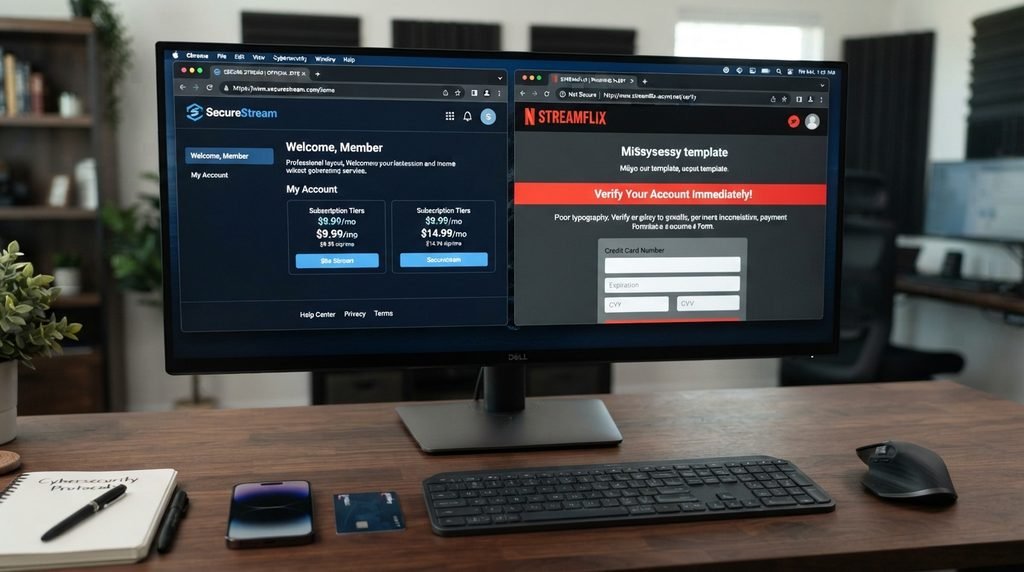
Searching for the catchon tv official website can expose users to pages that look convincing but are not the site they intended to visit. Some may be old CatchON domains, resellers, unrelated IPTV websites, or pages designed to imitate another business. The presence of HTTPS or a professional-looking design is not enough to prove that a site belongs to the service you were trying to find.
The FTC advises consumers not to assume that the first search result is necessarily legitimate and recommends typing a known website address directly when possible. That advice applies especially well here because brand-name searches can produce several similar-looking results. You can read the FTC’s guidance on avoiding misleading online search results for broader online-safety advice.
Watch for warning signs such as:
A domain that differs from the one you expected
A checkout page that suddenly uses unrelated branding
Payment instructions sent only through random messages
Requests for account passwords before purchase
Unknown APK downloads offered as “official”
Prices dramatically different from the current site
No clear connection between pricing, channels, and support pages
Search ads pretending to be the provider
Old screenshots presented as current information
The safest habit is simple: once you know the catchon tv official website you intend to use, go directly to that domain rather than relying on search ads every time.
What to Check Before Starting a Trial
The current CatchON TV homepage advertises a 24-hour trial. A trial can be useful, but only if you test the service intentionally. Spending most of the trial browsing random channels does not tell you whether CatchON TV can replace the services you already use.
Before activating a trial, prepare a short list of important tests. Include your main channels, sports if relevant, VOD, EPG, search, Favorites, and the exact device you expect to use later.
A useful trial test includes:
Test area
What to evaluate
Live TV
Several must-have channels
Sports
Major events or networks
VOD
Movie and series playback
EPG
Guide accuracy and loading
Search
Ease of finding content
Favorites
Saving preferred channels
Device performance
Speed and navigation
Evening usage
Performance during normal hours
Second screen
Only if you need multiple connections
The catchon tv official website gives you the starting information, but the trial gives you the real-world test.
Website Claims You Should Verify Yourself
Every provider website is designed to sell the service, so marketing claims should be treated as starting points rather than independent proof. The current CatchON TV homepage promotes anti-freeze streaming, strong reliability, instant activation, high-quality streams, and broad device compatibility. Those claims may describe the intended service, but actual performance can still depend on channel sources, device hardware, home internet, location, and viewing time.
The same principle applies to channel totals and VOD counts. The homepage and pricing areas currently display slightly different figures, which suggests those numbers are updated independently or used as approximate marketing totals. That does not necessarily mean something is wrong, but it is a reminder not to make a buying decision based on catalog size alone.
When Third-Party Information Becomes Useful
The official website is the best place for current plan details, but third-party discussions can still help you understand long-term user experiences. Reddit, forums, reviews, and device communities may reveal buffering reports, app issues, installation problems, or support experiences that are unlikely to appear on a sales page.
The key is knowing what those sources can and cannot prove. A user review can describe one person’s experience but cannot confirm the current status of every account. An old tutorial can show how installation once worked but may no longer reflect the current app. A Reddit thread may discuss another CatchON-branded service entirely.
Use outside information to answer questions such as:
Do users report recurring device issues?
Are sports streams discussed frequently?
Does the app interface receive consistent praise or criticism?
Are there repeated support complaints?
Did an old app version require a different activation method?
Are multiple domains causing confusion?
Then return to the catchon tv official website for current pricing, channels, and service details.
What to Save After You Subscribe
Once you complete a purchase, save more than just the password. Keeping basic records can make future renewals, device changes, and support questions much easier.
Create a small folder or note containing:
The exact website domain
Order confirmation
Payment receipt
Subscription length
Number of connections
Login credentials
Setup instructions
Activation information
Purchase date
Renewal date
Device used
This becomes especially useful if you reinstall the app several months later and no longer remember where the original setup information came from. The catchon tv official website may remain your main reference, but your own purchase records are the most accurate source for the exact plan and credentials tied to your account.
CatchON TV Official Website FAQs
What is the current CatchON TV official website?
For the service covered in this guide, the current website is catchontvusa.us. Its pricing and channel-list pages are hosted on the same domain, which makes it easier to verify that you are using the same service throughout the buying process.
How can I tell if I am on the correct CatchON TV website?
Check the browser address, confirm that pricing and channel pages remain on the same domain, and compare the service details with the setup information associated with your account. Do not rely only on the logo or page design.
Does the CatchON TV website show current prices?
Yes. The current CatchON TV pricing page lists one-, three-, six-, and twelve-month plans and lets users select the number of simultaneous connections.
Can I check channels before subscribing?
Yes. The current CatchON TV channel list provides a large directory of provider-listed channels and categories. Search your must-have networks first instead of judging the service only by the advertised total number of channels.
Does the official website offer a free trial?
The current homepage advertises a 24-hour trial and states that no credit card is required for the trial. Availability can change, so check the live homepage when you are ready to test. Use the trial to evaluate your real device, network, channels, VOD, and EPG rather than just browsing randomly.
Final Thoughts on the CatchON TV Official Website
Finding the catchon tv official website is not just about locating a page with the correct logo. The more important goal is confirming that the domain, pricing, channel list, subscription information, and setup instructions all belong to the same current service. For the CatchON TV service covered in this guide, that domain is catchontvusa.us, with pricing and channel information hosted directly under the same website.
Before buying, review the current plan options, decide how many simultaneous connections you actually need, search the channel list for your must-have content, and confirm that your main streaming device is supported. If a trial is available, use it deliberately rather than relying only on marketing claims.
The safest approach is to bookmark the catchon tv official website once you verify it, avoid lookalike search results and outdated APK links, and keep your purchase records after subscribing. That gives you a consistent reference point for pricing, channels, renewals, and setup while reducing the confusion caused by old CatchON domains and similarly named services.